No. Pixel art describes how a game looks, not the total work your computer must do to run it. Check the developer's current system requirements, look for evidence from comparable hardware, and try a representative demo if one is available. The artwork alone cannot promise smooth performance or a readable interface on your laptop.
Why can a retro-looking game still be demanding?
The visible sprites are only part of the workload. Drawing effects, updating a busy scene and calculating what happens next can all matter, even when the characters are made from a handful of pixels.
Imagine two invented tactical games with equally small character sprites. One has a compact board and a few units. The other has hundreds of active units, elaborate lighting and a large simulation running behind the scene. Their screenshots could look similarly retro while concealing very different amounts of work. This is a hypothetical comparison, not a benchmark or a claim about a particular title.
Godot's general optimisation guide distinguishes continuously low frame rates, intermittent stalls and slow operations such as loading. It also stresses measuring performance on different devices. Those distinctions are useful when reading player reports: “runs badly” might describe three different problems.
We love a crisp little sprite. It just isn't a hardware specification.
What should you compare with the system requirements?
Compare your exact hardware and operating system with the game's current official requirements. Treat missing information as a question to resolve, rather than assuming a familiar-looking model name is close enough.
Make a short record of the laptop's processor, graphics hardware, memory, operating system and available storage. Then open the developer's website or official store listing for the version you intend to play. If the requirements don't explain their target resolution, settings or performance, don't silently supply those promises yourself.
| Item to check | Useful evidence | What it does not establish alone |
|---|---|---|
| Operating system | Supported system and version in the official listing | That every laptop using it performs equally |
| Processor and graphics | Exact models and any stated graphics API requirement | Equivalence based on a similar product name |
| Memory and storage | Installed memory and enough available space for the stated requirements | Smooth play in demanding scenes |
| Performance target | Resolution, settings and frame-rate target, if provided | Performance at different settings |
| Laptop usability | Readable menus and workable input options | Comfort from screenshots taken on another display |
“Old laptop” is a broad category, not a test configuration. If a report leaves out the processor or graphics model, it's difficult to know whether it answers your question at all.
What can a useful performance report actually tell you?
A useful report connects a particular game version and scene to identifiable hardware, settings and observed behaviour. A smooth trailer or an unexplained frame-rate number leaves too many of those pieces missing.
Look for the resolution, graphics settings, hardware models and whether the laptop was plugged in. Check what was happening on screen too. A quiet menu does not show how a large battle behaves, and a short clip does not reveal loading delays outside that clip.
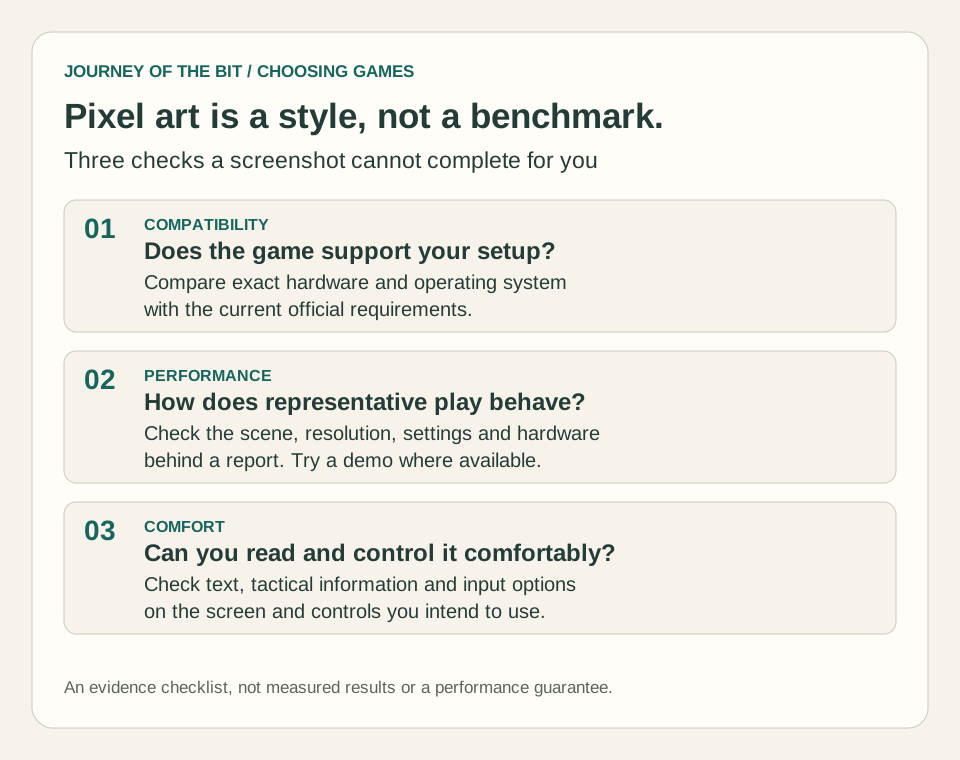
Original explanatory checklist. These are evidence categories, not measured results or a performance guarantee for any game or laptop.
When comparing reports, prefer matching conditions over impressive numbers. A report at a lower resolution may still be useful, but it answers a different question from one at your intended resolution. Likewise, “playable” is someone's judgement unless they explain what they observed and what compromises they accepted.
How could you test a demo without mistaking it for the whole game?
Test the activities that matter to you, record the conditions, and keep the conclusion limited to the scenes available. A demo can provide useful evidence without representing the busiest part of the finished game.
Here's a hypothetical test plan for a turn-based tactics demo:
- Write down the game version, laptop specifications, resolution, settings and power state.
- Load a mission and note whether the wait is acceptable to you.
- Pan across the map, open menus and select several units. Look for interrupted motion and delayed responses.
- Play through an enemy turn and watch a scene with multiple effects, if the demo includes one.
- Read tooltips, targeting information and dialogue at your normal viewing distance.
- Repeat the same scene after changing one setting, keeping the other conditions steady.
Suppose panning feels smooth but an enemy turn takes much longer than you find comfortable. That's a useful, specific observation. It doesn't prove the artwork is too demanding, and lowering visual settings might not address that particular delay. Record the symptom before guessing at its cause.
If the demo only offers a tiny tutorial, say so in your conclusion. “This tutorial was comfortable at these settings” is stronger evidence than a sweeping promise that every mission will run perfectly.
Can a game run well and still be uncomfortable on a laptop?
Yes. Performance and usability are separate checks: a smooth game can still have text you struggle to read or controls that don't suit your setup.
Game Accessibility Guidelines recommends readable default text and options to adjust font size. On your own screen, check the information you actually need to make decisions, not just the title menu. Can you distinguish costs, status effects and selected units without leaning forward?
Our articles on readable tactical battlefields and icons that use more than colour explore those information problems. They're part of enjoying the game, even when the frame rate is fine.
The practical order is simple: check compatibility, investigate performance, then check comfort. For a broader shortlist, see how to compare XCOM-like games beyond their screenshots. What makes a tactical game comfortable on your setup? Join the studio Discord to discuss games and game development.